I used to think that building even a small web tool meant learning how to code first.
But I wanted to see what would happen if I skipped that part and simply described what I wanted to ChatGPT.
For this experiment, I used only:
ChatGPT, a basic text editor, and a web browser.
I did not write the HTML code from scratch.
Instead, I asked ChatGPT to create four simple tools, copied the generated code into a text file, saved each one as an HTML file, and opened it in my browser.
The four tools I tested were:
Invoice Calculator
Countdown Timer
To-Do List
Word Counter and Reading Time Calculator
None of them replaces professional software.
But all four showed me how quickly a small idea can become something I can actually open and use.
How I Made the Tools
The process was almost the same every time.
- I told ChatGPT what I wanted to create.
- ChatGPT generated the HTML code.
- I copied the code into a basic text editor.
- I saved the file with an
.htmlextension. - I opened the file in a browser and tested it.
I did not need to install a development environment or a dedicated code editor for these simple experiments.
That does not mean coding knowledge is unnecessary.
If the generated tool has a problem, needs better security, or becomes more complicated, understanding the code becomes much more important.
But for these small browser-based tools, ChatGPT made it possible to start before I knew how to write the code myself.
1. Invoice Calculator
The first tool I tested was an invoice calculator.
I wanted something that could handle basic invoice calculations directly in the browser.
The result let me enter information such as items, quantity, price, discount, and tax, then calculate the total automatically.
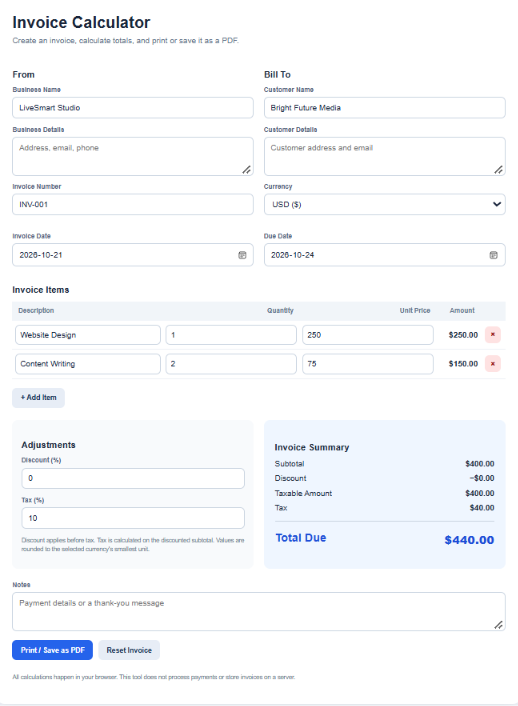
Caption: I used ChatGPT to create a browser-based invoice calculator that calculates item totals, discounts, tax, and the final amount.
This was one of the more useful examples because the purpose was immediately clear.
For a quick calculation, I could open the HTML file without setting up a spreadsheet or signing in to another service.
However, I would not treat this simple tool as accounting software.
It does not automatically provide things such as secure customer records, tax compliance, cloud backups, or accounting integrations.
For me, it worked better as a lightweight calculator or prototype.
2. Countdown Timer
For the countdown timer, I used a very short prompt:
“I want to create a countdown timer. Please make it using HTML.”
ChatGPT generated the code, and I saved it as an HTML file.
When I opened it in the browser, I could set a period of time and start the countdown.
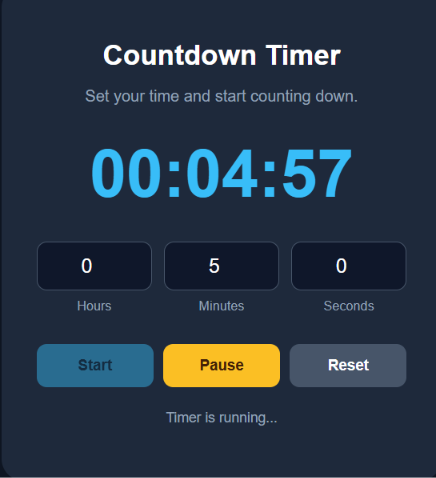
Caption: I created this simple countdown timer from a short ChatGPT prompt and tested it directly in my browser.
This could be useful for things like:
focused work,
exercise,
cooking,
or short breaks.
The tool itself is simple.
What interested me more was that I did not need to explain every button or design choice.
A short description was enough to generate a working starting point.
3. To-Do List
The to-do list used an even simpler instruction.
I essentially asked ChatGPT:
“Create a to-do list.”
I did not give detailed instructions about the design or layout.
ChatGPT created the basic structure for me.
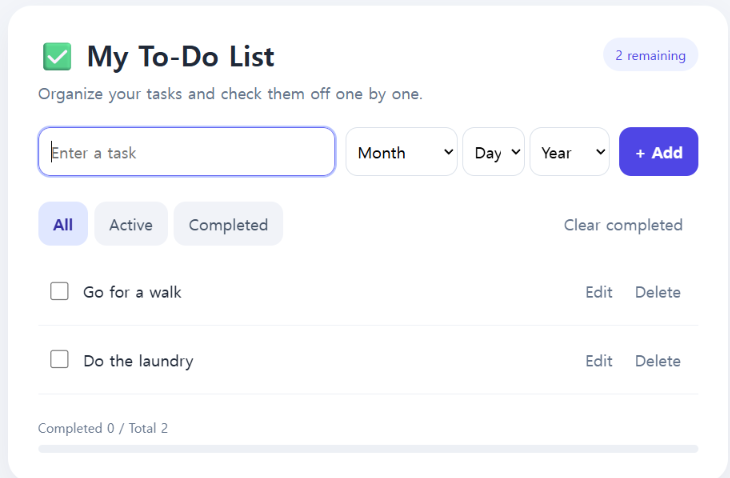
Caption: I gave ChatGPT a very short request for a to-do list and tested the generated tool in the browser.
The tool allowed me to add tasks and manage a basic list.
This example also showed me one of the trade-offs of using a very short prompt.
It is convenient, but ChatGPT has to make more decisions for you.
If I wanted specific features such as due dates, categories, priorities, or a particular design, I would need to describe those requirements more clearly.
So short prompts can be useful for getting started, but more detail gives you more control.
4. Word Counter and Reading Time Calculator
The fourth tool was a word counter with an estimated reading-time calculator.
This was especially relevant for me because I work with blog content.
I wanted a simple way to paste text into the browser and quickly check basic writing statistics.
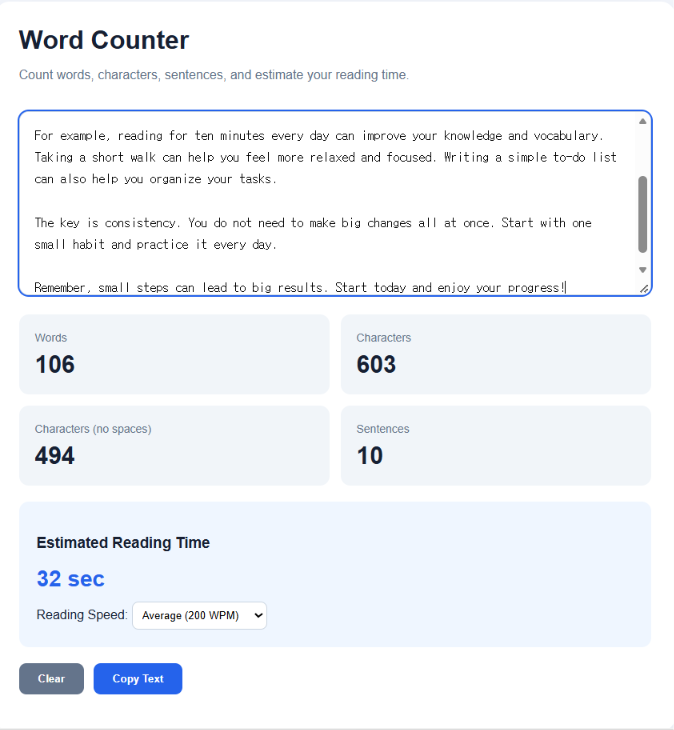
Caption: I created a browser-based word counter that also estimates how long the text may take to read.
Of the four tools, this was one of the easiest for me to imagine using regularly.
It solves a small but real problem.
Instead of opening another website whenever I want to check a piece of text, I can keep the HTML file and use it locally in the browser.
This also reminded me that a useful tool does not need dozens of features.
Sometimes one small function is enough.
Which Tool Was the Most Useful?
The four tools were simple, but they were useful in different ways.
| Tool | What I used it for |
|---|---|
| Invoice Calculator | Quick calculations |
| Countdown Timer | Counting down a set amount of time |
| To-Do List | Simple task management |
| Word Counter | Checking text length and estimated reading time |
The Invoice Calculator and Word Counter felt the most like tools I could use for an actual task.
The Countdown Timer and To-Do List were simpler, but they helped me understand how little information ChatGPT sometimes needs to produce a working first version.
What Surprised Me
The biggest surprise was not that ChatGPT could generate HTML.
It was how little setup I needed before I could see a working result.
I did not install a programming environment.
I did not buy development software.
For some tools, I barely described what I wanted.
I simply generated the code, saved it, and opened the file in a browser.
That makes experimentation much more approachable.
But These Are Not Finished Apps
This is an important distinction.
A working HTML file is not the same thing as professionally developed software.
A more serious application may need:
secure data storage,
user accounts,
cloud synchronization,
backups,
accessibility testing,
security reviews,
error handling,
and ongoing maintenance.
ChatGPT can generate code quickly, but generated code should not automatically be assumed to be secure or production-ready.
For that reason, I see these four examples as personal utilities and prototypes.
Do You Need to Know How to Code?
For these four experiments, I did not need to write the code myself.
But I would not say that coding knowledge is unnecessary.
There is a big difference between:
getting a small generated tool to run
and
building reliable software.
If the first version works, a beginner may be able to use it without understanding every line.
But if something breaks or you want to make the tool more advanced, technical knowledge becomes increasingly valuable.
The more accurate conclusion from my test is:
ChatGPT can help you start building before you know how to write all the code yourself.
What I Would Do Differently Next Time
After trying these four tools, I would not ask ChatGPT to build something just because it can.
I would start with a small problem I actually have.
For example:
“I keep doing this calculation manually.”
“I keep checking this information on another website.”
“I repeatedly type the same information.”
Then I would see whether a tiny browser tool could remove that step.
That seems much more useful than creating random demos.
Final Thoughts
I started this experiment assuming that creating even a small web tool would require much more preparation.
Instead, I was able to create four working HTML tools using a simple process:
Describe the tool.
Copy the generated code.
Save it as HTML.
Open it in a browser.
The results were simple, and none of them should be confused with professional software.
But that was not really the point.
The useful part was turning a small idea into something I could actually open, click, and test.
For personal tools and quick prototypes, that makes experimenting with software much easier than I expected.