I have no experience producing music.
I do not know how to arrange instruments, mix a track, or fine-tune every part of a song.
That is exactly why I wanted to try Suno AI from a beginner’s perspective.
Instead of exploring every feature, I focused on one simple question:
Can someone with very little music knowledge describe what they want and get music that actually feels usable?
I started with a very short prompt, then added more detail. After that, I tested automatic lyrics, background music for a YouTube travel video, and the download feature.
Here is what happened.
1. I Started With a Very Simple Prompt
For my first test, I wrote:
“Create a song with a strong EDM section in the middle.”
That was all.
I did not specify the BPM, instruments, song structure, or detailed musical style.
Suno generated music from that short description without requiring me to understand any of those things.
Screenshot 1 — My First Simple Prompt
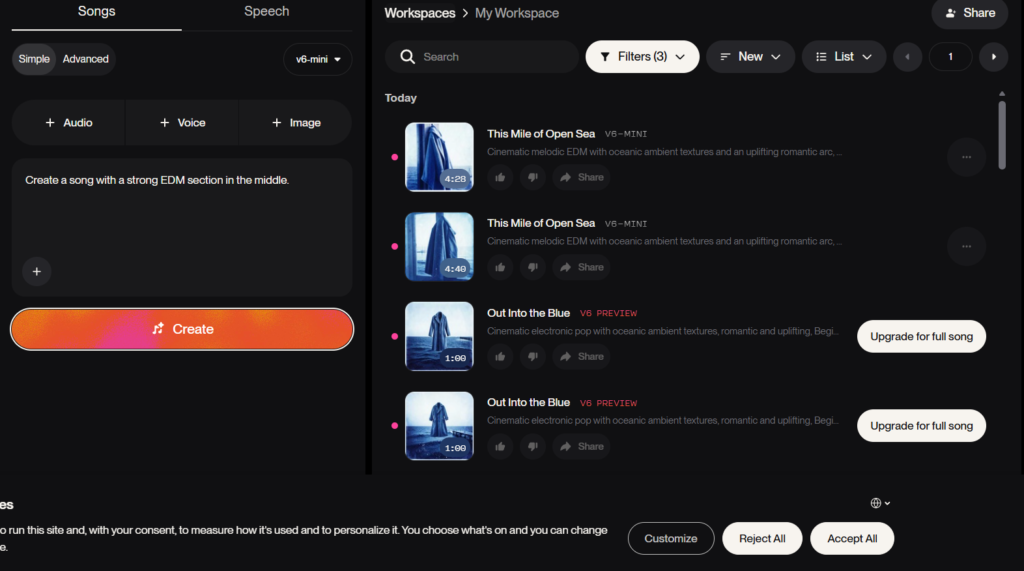
Caption: My first Suno test used only a short prompt asking for a song with a strong EDM section in the middle.
What surprised me was that the result still followed the general direction of my request.
I expected such a short prompt to produce something more random, but the result was reasonably close to what I had in mind.
For a first attempt, it felt good enough to keep experimenting.
2. A More Detailed Prompt Gave Me a More Refined Result
Next, I wanted to see what would happen if I gave Suno more direction.
This time I used:
“Create a bright and upbeat dance track with a strong EDM section in the middle, female vocals, energetic drums, and a vibrant festival atmosphere.”
Now I was specifying more than just the overall style.
I added:
female vocals
energetic drums
a bright mood
a festival-like atmosphere
Screenshot 2 — A More Detailed Prompt
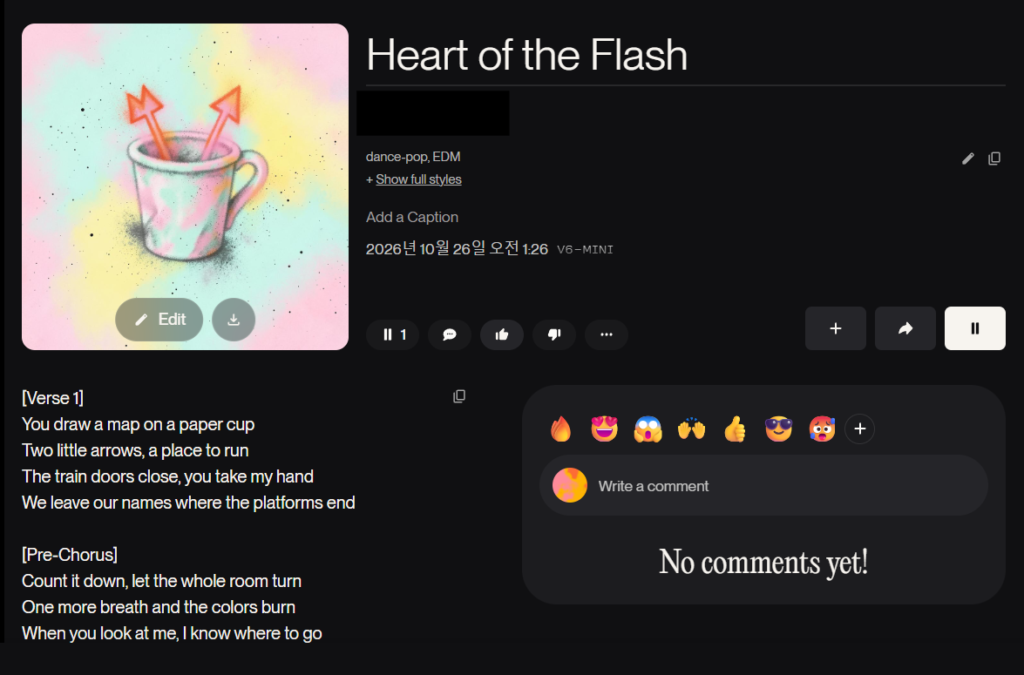
Caption: My second prompt added details about the vocals, drums, EDM section, and overall atmosphere.
The result felt more refined than my first attempt.
It was also closer to the kind of music I had imagined before generating it.
This was one of the clearest lessons from my test.
A short prompt was enough to create music, but a more specific prompt gave Suno a clearer direction.
I still did not need professional music terminology.
I simply described the sound and mood I wanted in normal language.
3. Suno Generated the Lyrics for Me
Another thing I noticed was the lyrics.
I did not write them myself.
When I asked Suno to create a song with vocals, it generated lyrics as part of the result.
Screenshot 3 — Automatically Generated Lyrics
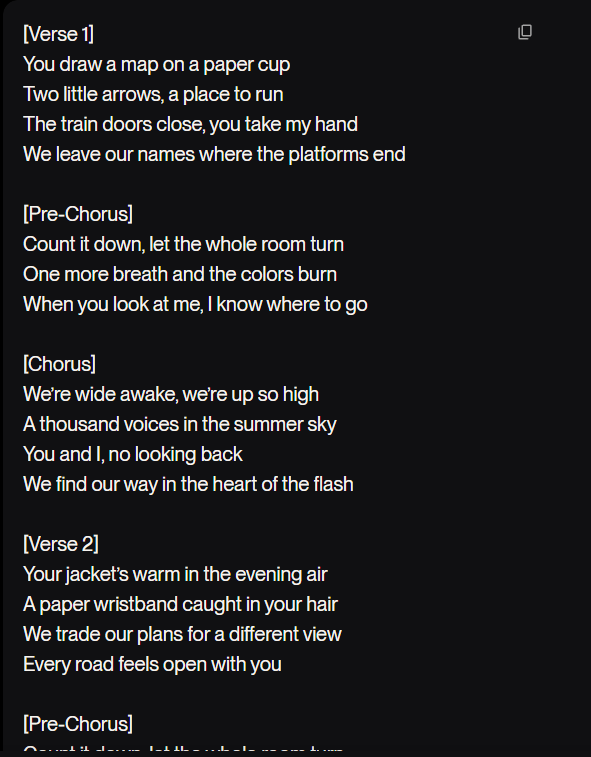
Caption: I did not write the lyrics myself. Suno generated them automatically along with the song.
This was useful for me because songwriting would be another skill I would otherwise have to learn.
I remember using Suno in the past and feeling that I had to provide more of the lyrics myself.
This time, the process felt much easier.
I could focus on the style and mood while Suno handled the lyrics.
For a beginner, that lowers the barrier considerably.
4. I Tried Making Background Music for a YouTube Travel Video
Generating songs was interesting, but I also wanted to try something more practical.
So I asked Suno to create background music for a spring travel video.
I used this prompt:
“Create a bright, cheerful instrumental track for a spring travel video. Light acoustic guitar, soft piano, and a fresh, relaxing mood. No vocals.”
This time, I was not just describing a genre.
I was also describing where the music would be used.
Screenshot 4 — Spring Travel Background Music
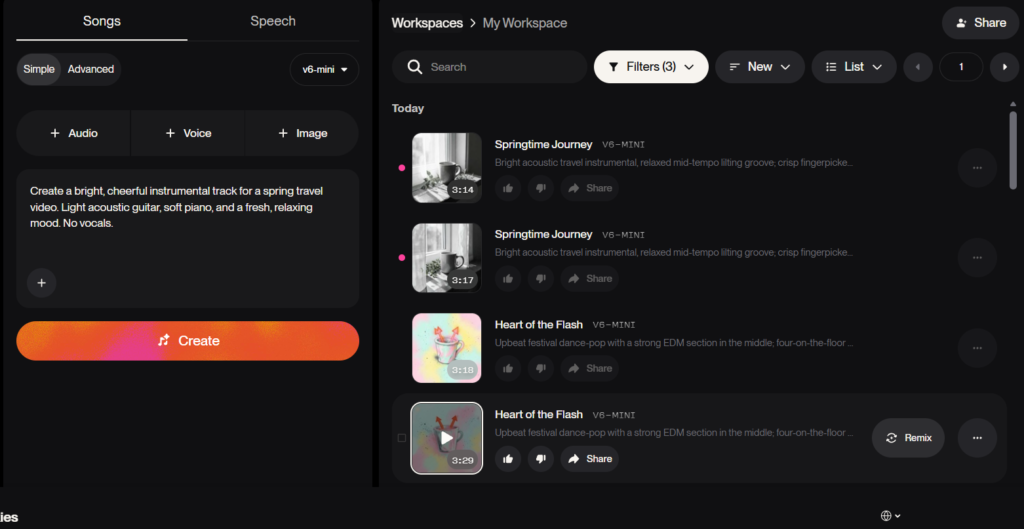
Caption: I asked Suno to create instrumental background music for a spring travel video, with light acoustic guitar, piano, and no vocals.
The result felt suitable for that kind of use.
It also showed me that I did not need to know the exact musical terms.
Describing the scene, mood, and purpose was enough to guide the result.
This was more useful to me than simply generating another random song.
5. I Could Download the Music Too
After creating the tracks, I wanted to check whether I could actually download the finished music.
The download worked without any problem.
At the time I took this screenshot, my account showed four trial downloads remaining.
Screenshot 5 — Trial Downloads
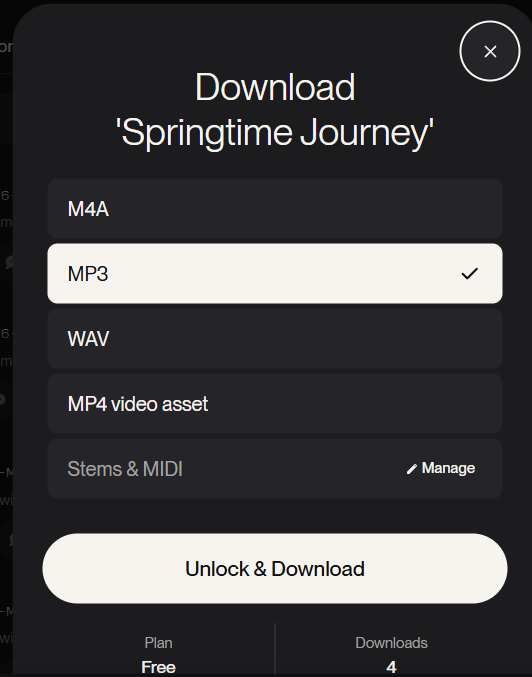
Caption: After downloading several generated tracks, my account showed four trial downloads remaining.
This was useful to confirm because generating music inside Suno is one thing, but being able to download the finished track makes it much more practical.
The trial download count did not appear to reset, so I would treat it as a limited allowance rather than something that refreshes regularly.
If I planned to use Suno often, especially for published or commercial content, I would check the current plan and usage rights first.
What I Liked Most About Suno
The biggest advantage for me was not complete control over the music.
It was the fact that I did not need complete control to get started.
I could simply describe:
the type of music
the mood
whether I wanted vocals
the instruments I preferred
or where I planned to use the music
Then Suno turned that description into something I could actually listen to.
For a beginner, that is much easier than opening professional music software and trying to understand everything from scratch.
More Detail in the Prompt Really Helped
The difference between my first and second prompts was noticeable.
My first prompt was:
“Create a song with a strong EDM section in the middle.”
It worked.
But when I added female vocals, energetic drums, and a festival atmosphere, the result felt more intentional.
That does not mean every prompt needs to be long.
What mattered more was adding details that actually affected the result.
For example:
mood
vocals
instruments
energy
intended use
Those details were more useful than simply making the prompt longer.
But I Was Not Editing the Music Like a Producer
There is an important limitation to my experience.
I could guide the overall result, but I was not manually editing every musical element.
I was not adjusting individual drum hits.
I was not changing a specific melody note.
I was not mixing each instrument myself.
For my test, the process was closer to:
Describe → Generate → Listen → Change the prompt → Generate again
Suno also has additional editing and Studio features, but I did not explore those deeply for this article.
I wanted to focus on what the experience is like for someone who simply wants to create music without already knowing how to produce it.
For that purpose, the simpler workflow worked well for me.
Is Suno Good for Beginners?
Based on my experience, I think this is where Suno makes the most sense.
If you are already an experienced music producer, you may want much more precise control than I needed.
But if you are a beginner with an idea like:
“I want a song with a strong EDM section.”
or
“I need relaxing spring music for a travel video.”
Suno makes it very easy to hear that idea turned into music.
I did not have to learn music theory first.
I did not have to write lyrics.
I did not have to record instruments.
And I did not have to understand complicated music production software just to hear a first result.
Final Thoughts
I started with one simple question:
Can a beginner create usable music with Suno without knowing much about music?
Based on my test, I think the answer is yes.
A very short prompt produced a complete result.
A more detailed prompt gave me music that felt more refined and closer to what I had imagined.
Suno generated lyrics without me writing them.
I could also ask for instrumental background music for a specific YouTube travel video.
And I was able to download the finished result afterward.
The main limitation is that I was guiding the music rather than controlling every detail myself.
But as a beginner, that was not really a problem.
For me, Suno works best as a tool for saying:
“This is the kind of music I have in mind.”
and quickly hearing what that idea might sound like.
That makes music creation feel much more approachable than it did before.